Shop Now
Family looking at plans together on FotoCube Calendar Pro at home
FotoCube Calendar Pro

Speak a plan.
See it together.

Calendar Pro has everything families use in Calendar, with device-side voice help and thoughtful ways to make the display feel more at home.

The family day, in view
FotoCube Calendar ProEverything in CalendarDevice-side voiceMessages and themes
Made for the moments at home

The full family calendar, with a more natural way in.

Keep schedules, chores, meals and photos together, then add the Pro experiences designed around a busy home.

01 / Voice

Say it before you forget it.

On supported Pro hardware, ask Zola AI to create an event, task or alarm while you are getting everyone out the door or making dinner.

Create eventsAdd tasksSet alarms

Device-side AI voice requires supported Pro hardware. Free monthly use is limited; additional use depends on the Zola AI plan.
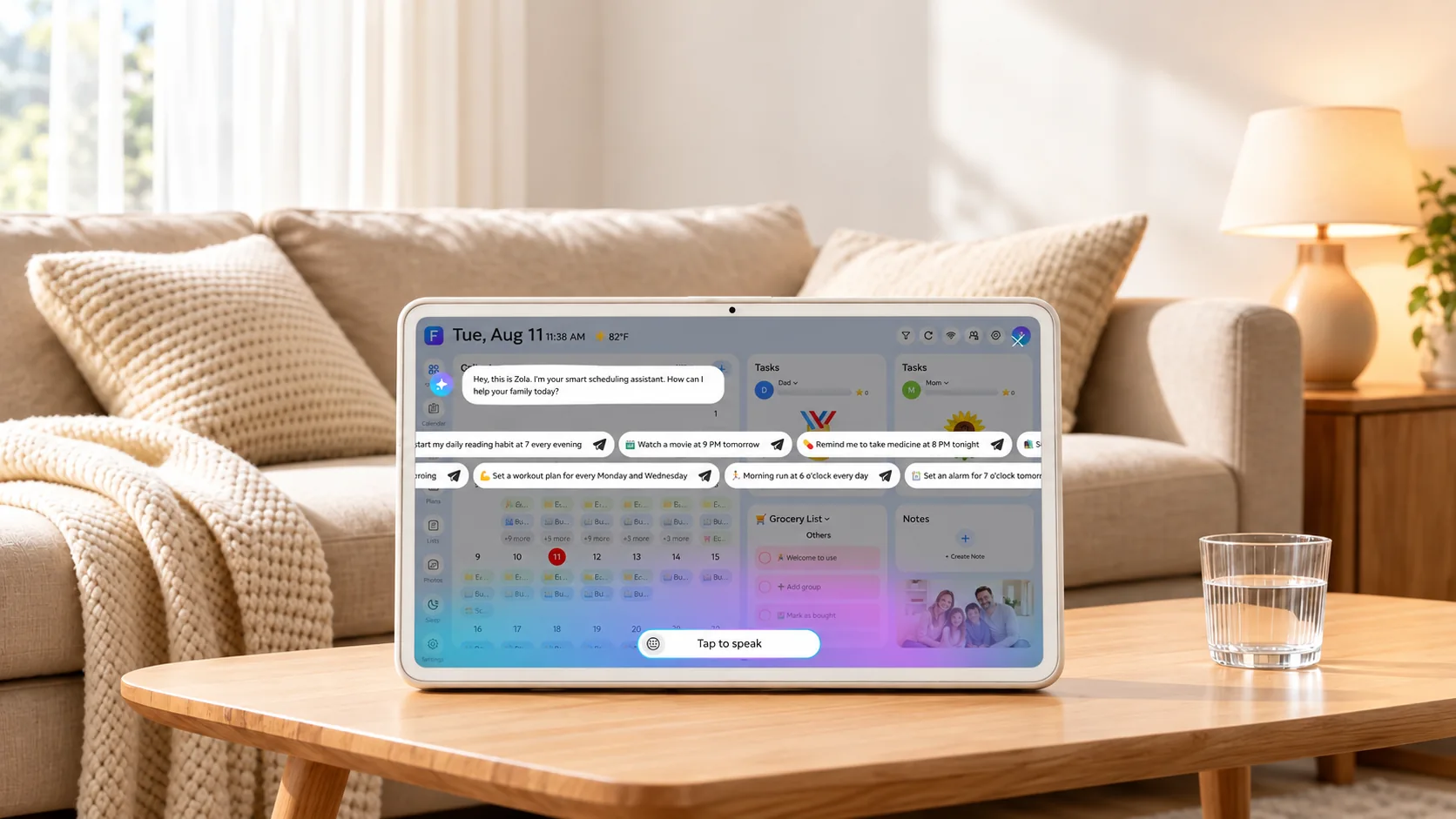
FotoCube showing Zola AI voice help in a living room
02 / Family messages

Leave more than a reminder.

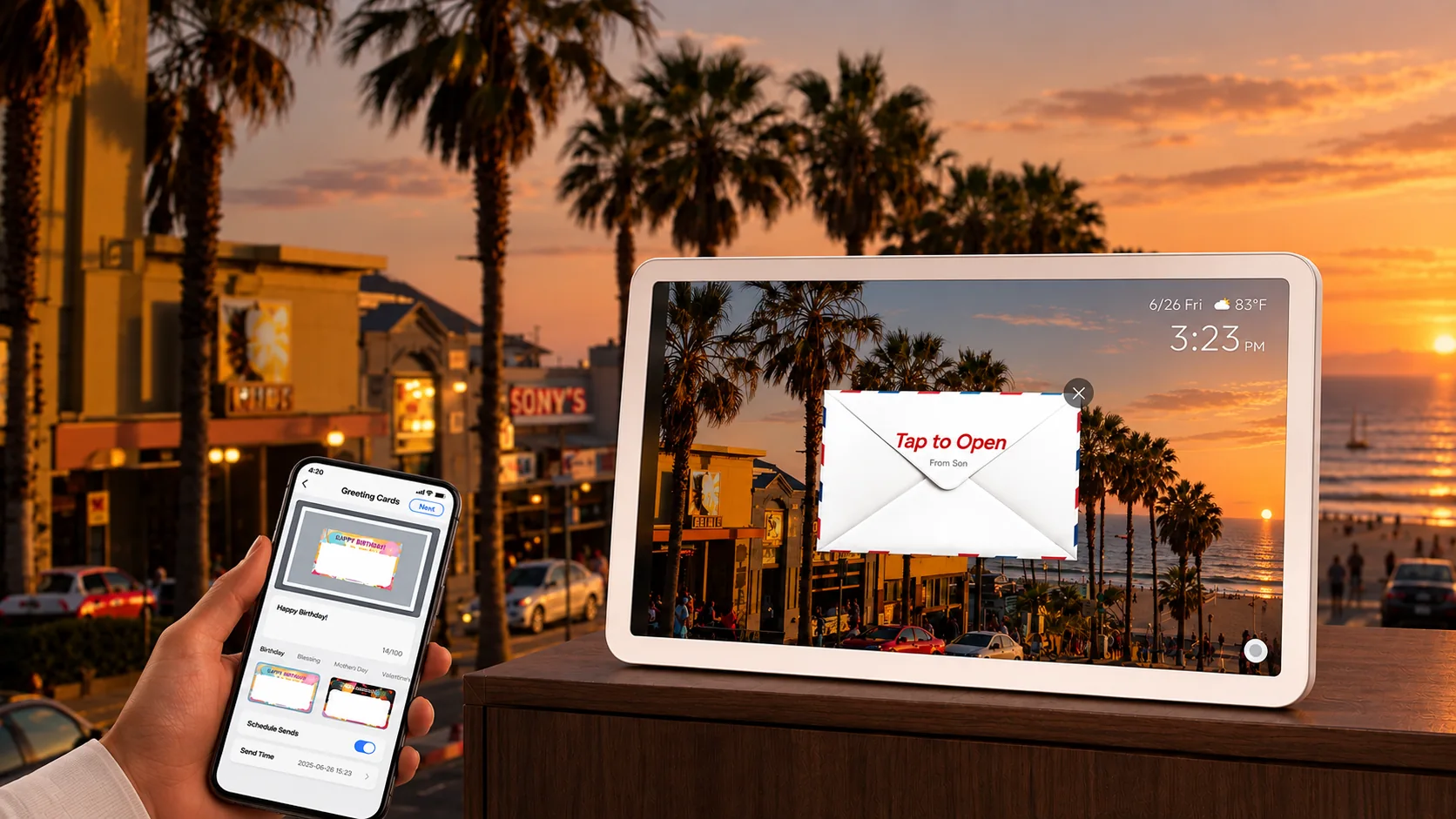
Use the message board for a quick note, a drawing or a voice message. The things that matter can be waiting where the family will see them.

Draw a noteLeave a voice messageKeep it visible
A greeting sent from a phone appearing on a FotoCube display
03 / At home

A display that settles into the room.

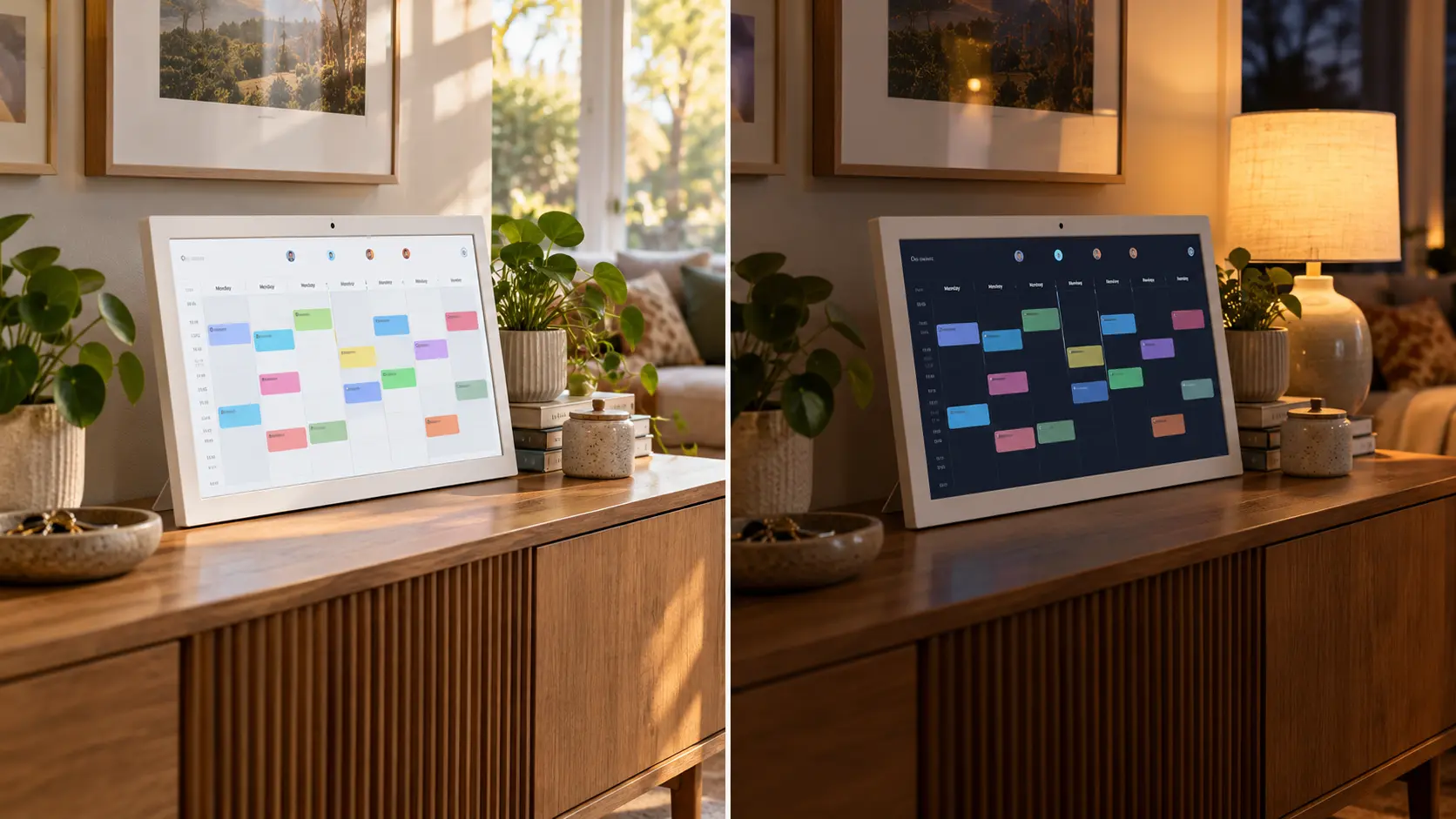
Night Mode and extra color and theme choices help Calendar Pro fit the time of day and the space around it.

Night ModeTheme colorsDark theme
FotoCube Calendar Pro shown in bright day mode beside dark night mode
The everyday essentials

All the useful parts of Calendar.

Pro keeps the same family planning foundation. Its main differences are how you interact with and personalize the display.

Plans and peopleShared calendar views, chores, routines, lists, rewards and family members.
Meals and memoriesMeal planning, recipes, photos, videos and the family album.
Wherever you areManage supported plans in the FotoCube app and Web Calendar.
The FotoCube family

Find the right display for your home.

Current page

FotoCube Calendar Pro

Everything in Calendar, plus device-side voice, messages and themes.

You are viewing this product
Explore

FotoCube Frame

Photos, videos and memories shared with family.

Explore Frame ↗

Zola AI is a separate service plan. Device features and AI availability vary by model and software version. See Zola AI plans ↗

Good to know

Questions about Calendar Pro.

Is Zola AI exclusive to Calendar Pro?

No. Calendar also supports selected AI tools, including app-side voice interactions. Pro adds supported device-side voice capability; paid AI use depends on the plan.

Does device-side voice work on every Pro display?

It requires supported Pro hardware with the necessary microphone and software. Check device compatibility before purchase.

Can I use Calendar Pro without a subscription?

Yes. The core family calendar features remain available. Some AI and cloud features require a paid Zola AI plan.

What else does Pro add over Calendar?

Pro adds the message board and additional theme options alongside its supported device-side voice experience. Night Mode is also available on Calendar.

FotoCube Calendar Pro

More ways to make the day work together.

See how Calendar Pro fits alongside Calendar and Frame.

Compare products